
Toyota Yaris: Smart Key System (for Start Function) / System Diagram
SYSTEM DIAGRAM
SMART KEY SYSTEM (for Start Function)
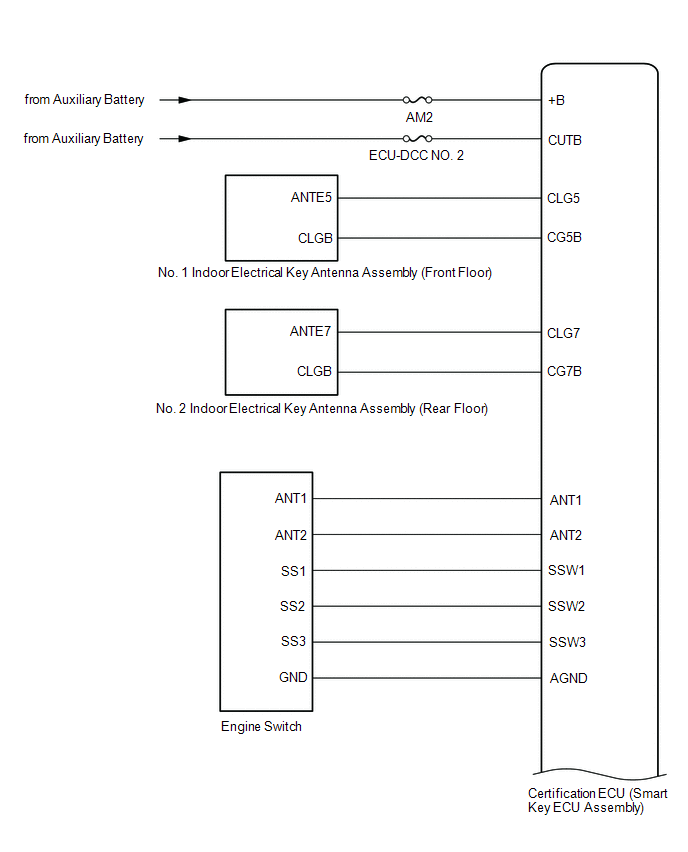
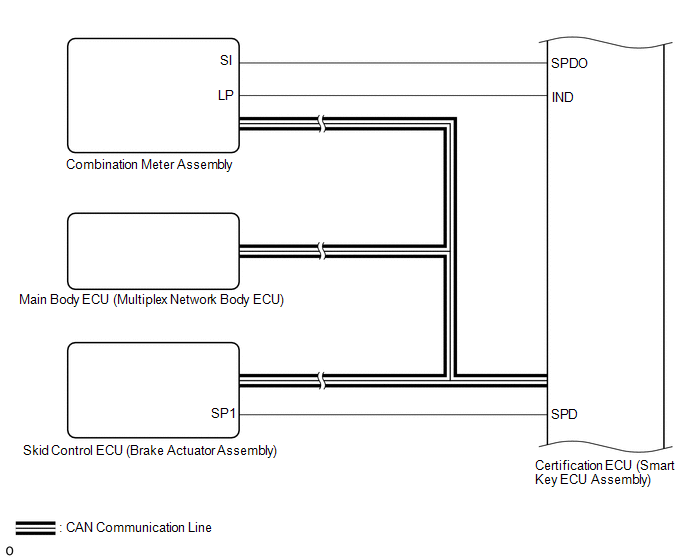
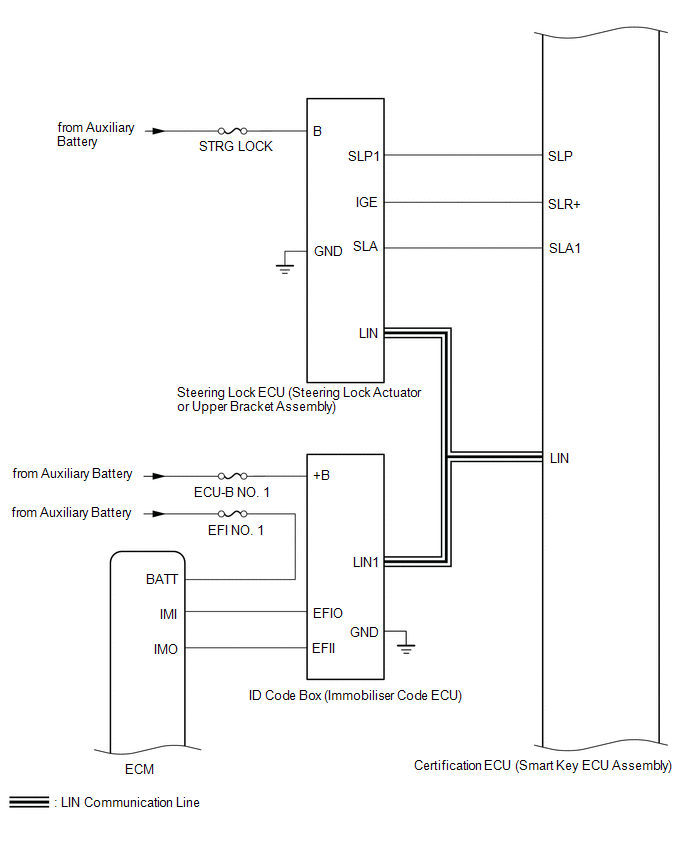
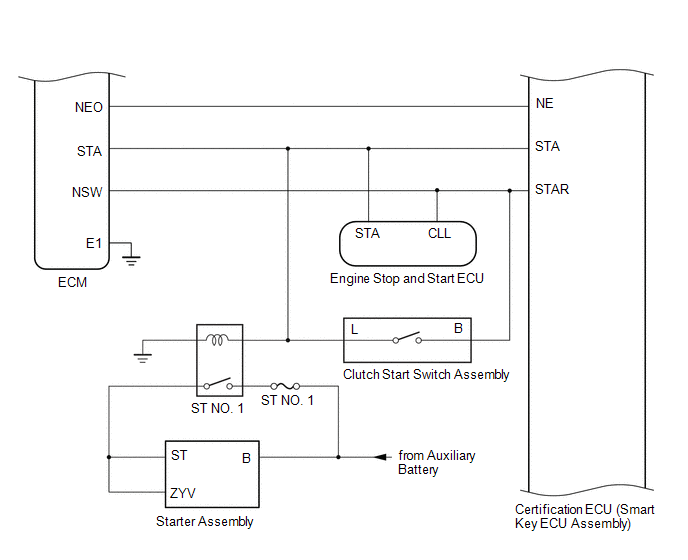
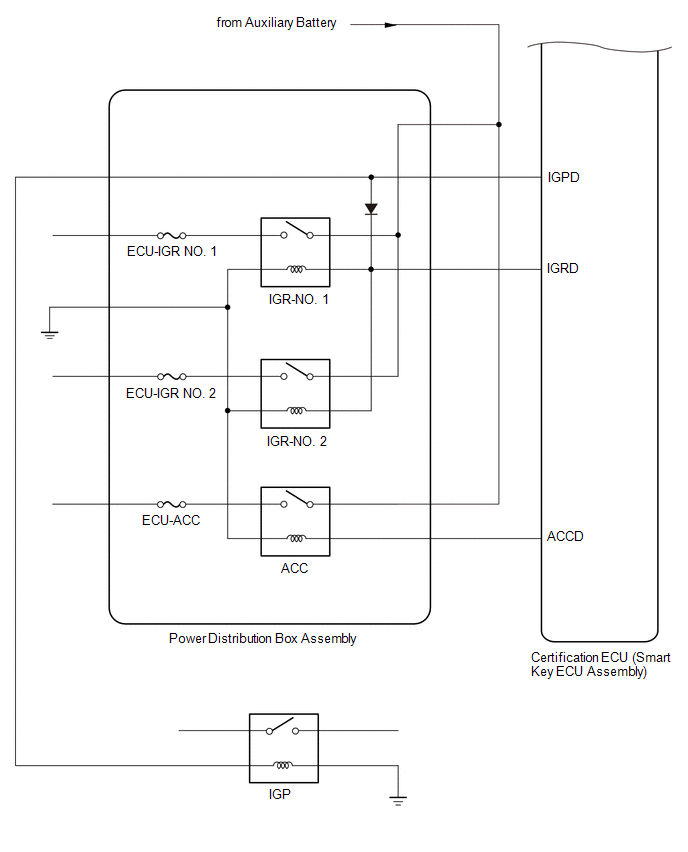
SMART KEY SYSTEM (for Entry Function)
Click here

 Parts Location
PARTS LOCATION ILLUSTRATION
*1 ECM *2 NO. 1 ENGINE ROOM RELAY BLOCK ASSEMBLY - ST NO. 1 FUSE - EFI NO. 1 FUSE - IGP RELAY - ST NO. 1 RELAY *3 SKID CONTROL ECU (BRAKE ACTUATOR ASSEMBLY) - - ILLUSTRATION
*1 NO...
 How To Proceed With Troubleshooting
CAUTION / NOTICE / HINT HINT:
Replace parts related to the wireless door lock control system and smart key system according to the inspection procedure...
Other information:
Toyota Yaris XP210 (2020-2026) Reapir and Service Manual: Front Wiper Rubber
ComponentsCOMPONENTS ILLUSTRATION *1 FRONT WIPER BLADE *2 FRONT WIPER RUBBER *3 FRONT WIPER RUBBER BACKING PLATE - - RemovalREMOVAL CAUTION / NOTICE / HINT NOTICE: Make sure to hold the front wiper arm while lifting it as lifting the front wiper arm by the front wiper blade may damage or deform the front wiper blade...
Toyota Yaris XP210 (2020-2026) Reapir and Service Manual: On-vehicle Inspection
ON-VEHICLE INSPECTION PROCEDURE 1. INSPECT CLUTCH PEDAL HEIGHT (a) Remove the front door scuff plate LH. Click here (b) Remove the cowl side trim board LH. Click here (c) Turn back the floor carpet. (d) Turn back the dash panel insulator assembly...
Categories
- Manuals Home
- Toyota Yaris Owners Manual
- Toyota Yaris Service Manual
- G16e-gts (engine Mechanical)
- Engine Start Function When Key Battery is Dead
- Opening and Closing the Liftgate/Trunk Lid
- New on site
- Most important about car
Refueling
Before refueling, close all the doors, windows, and the liftgate/trunk lid, and switch the ignition OFF.
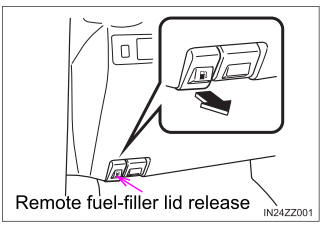
To open the fuel-filler lid, pull the remote fuel-filler lid release.

Copyright © 2026 www.toyaris4.com