
Toyota Yaris: Air Conditioning Panel / Inspection
INSPECTION
PROCEDURE
1. INSPECT AIR CONDITIONING CONTROL ASSEMBLY
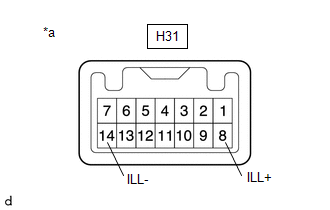
(a) Check the illumination.
| (1) Apply auxiliary battery voltage to the air conditioning control assembly and check that the illumination. OK:
If the result is not as specified, replace the air conditioning control assembly. |
|
 Removal
REMOVAL PROCEDURE 1. REMOVE CENTER LOWER INSTRUMENT COVER Click here
2. REMOVE LOWER INSTRUMENT PANEL FINISH PANEL Click here
3. REMOVE SWITCH HOLE BASE SUB-ASSEMBLY Click here
4...
 Installation
INSTALLATION PROCEDURE 1. INSTALL AIR CONDITIONING CONTROL ASSEMBLY (a) Connect the connector. (b) Engage the clips to install the air conditioning control assembly...
Other information:
Toyota Yaris XP210 (2020-2026) Reapir and Service Manual: Bleeding
BLEEDING CAUTION / NOTICE / HINT NOTICE: Wash off clutch fluid immediately if it comes in contact with any painted surface. HINT: If any work is performed on the clutch system or if air in the clutch lines is suspected, bleed air from the clutch hydraulic system...
Toyota Yaris XP210 (2020-2026) Reapir and Service Manual: Components
C..
Categories
- Manuals Home
- Toyota Yaris Owners Manual
- Toyota Yaris Service Manual
- Auto Lock/Unlock Function
- Fuel Gauge
- Maintenance
- New on site
- Most important about car
Keys
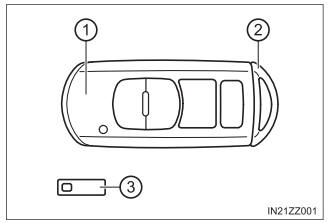
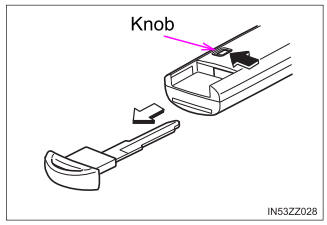
To use the auxiliary key, press the knob and pull out the auxiliary key from the smart key.

Copyright © 2026 www.toyaris4.com