Toyota Yaris: Manual Transaxle System / Dtc Check / Clear
DTC CHECK / CLEAR
CHECK DTC (Using GTS)
(a) DTCs which are stored in the ECM can be output to the GTS.
(1) Connect the GTS to the DLC3.
(2) Turn the ignition switch to ON.
(3) Turn the GTS on.
(4) Enter the following menus: Powertrain / Engine / Trouble Codes.
Powertrain > Engine > Trouble Codes(5) Confirm the DTCs and freeze frame data, and then write them down.
(6) Confirm the details of the DTCs.
Click here

CLEAR DTC (Using GTS)
(a) Connect the GTS to the DLC3.
(b) Turn the ignition switch to ON.
(c) Turn the GTS on.
(d) Enter the following menus: Powertrain / Engine / Trouble Codes.
(e) Clear the DTCs.
Powertrain > Engine > Clear DTCsCLEAR DTC (without Using GTS)
(a) Perform either of the following operations.
NOTICE:
After turning ignition switch off, waiting time may be required before disconnecting the cable from the negative (-) auxiliary battery terminal. Therefore, make sure to read the disconnecting the cable from the negative (-) auxiliary battery terminal notices before proceeding with work.
Click here

(1) Disconnect the cable from the negative (-) auxiliary battery terminal for more than 1 minute.
(2) Remove the EFI NO. 1 fuses from the No. 1 engine room relay block located inside the engine compartment for more than 1 minute.
 Diagnosis System
DIAGNOSIS SYSTEM EURO-OBD (EUROPEAN SPEC) (a) When troubleshooting Europe On-Board Diagnostic (Euro-OBD) vehicles, an OBD scan tool (complying with ISO 15765-4) must be connected to the vehicle...
 Freeze Frame Data
FREEZE FRAME DATA DESCRIPTION
The ECM records vehicle and driving condition information as freeze frame data the moment a DTC is stored. When troubleshooting, freeze frame data can be helpful in determining whether the vehicle was moving or stationary, whether the engine was warmed up or not, whether the air fuel ratio was lean or rich, as well as other data recorded at the time of a malfunction...
Other information:
Toyota Yaris XP210 (2020-2026) Reapir and Service Manual: Brake Actuator Operation Sound is Loud during Initial Check
CAUTION / NOTICE / HINT NOTICE: After replacing the skid control ECU (brake actuator assembly), perform "Calibration". Click here PROCEDURE 1. PERFORM ROAD TEST (a) After turning the ignition switch to ON, compare the operating sound of the brake actuator the first time the vehicle speed reaches approximately 25 km/h (16 mph) with a known good vehicle of the same model...
Toyota Yaris XP210 (2020-2026) Reapir and Service Manual: On-vehicle Inspection
ON-VEHICLE INSPECTION CAUTION / NOTICE / HINT CAUTION: To prevent injury due to contact with an operating V-ribbed belt or cooling fan, keep your hands and clothing away from the V-ribbed belt and cooling fan when working in the engine compartment with the engine running or the ignition switch ON...
Categories
- Manuals Home
- Toyota Yaris Owners Manual
- Toyota Yaris Service Manual
- Adjustment
- Power Integration No.1 System Missing Message (B235287,B235587,B235787-B235987)
- Removal
- New on site
- Most important about car
Keys
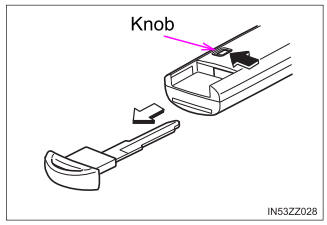
To use the auxiliary key, press the knob and pull out the auxiliary key from the smart key.