
Toyota Yaris: Rear Console Box / Components
COMPONENTS
ILLUSTRATION
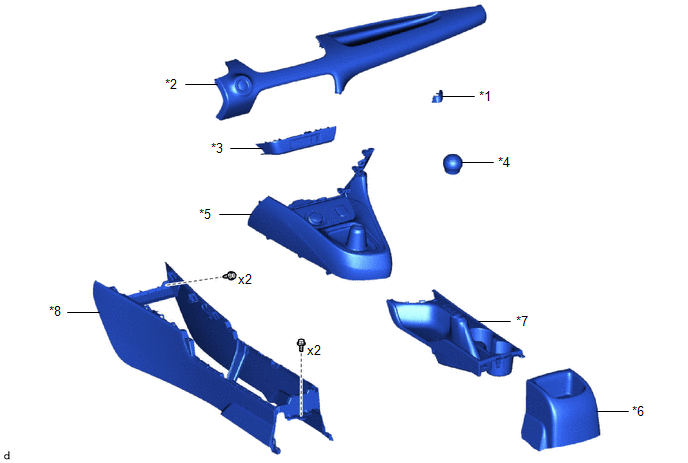
| *1 | CENTER LOWER INSTRUMENT COVER | *2 | LOWER INSTRUMENT PANEL FINISH PANEL |
| *3 | SWITCH HOLE BASE SUB-ASSEMBLY | *4 | SHIFT LEVER KNOB SUB-ASSEMBLY |
| *5 | CONSOLE BOX ASSEMBLY | *6 | CONSOLE REAR END PANEL SUB-ASSEMBLY |
| *7 | REAR UPPER CONSOLE PANEL SUB-ASSEMBLY | *8 | REAR CONSOLE BOX ASSEMBLY |
ILLUSTRATION
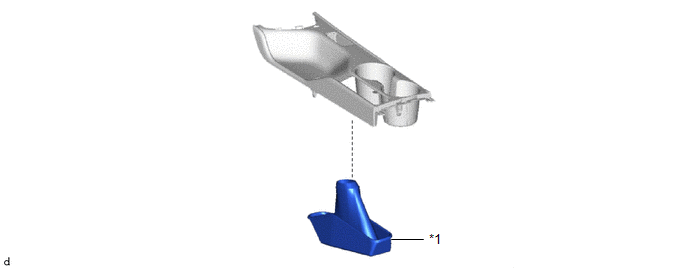
| *1 | PARKING BRAKE HOLE COVER SUB-ASSEMBLY | - | - |

 Removal
REMOVAL PROCEDURE 1. REMOVE CENTER LOWER INSTRUMENT COVER (a) Apply protective tape to the locations shown in the illustration.
Protective Tape (b) Using a screwdriver with its tip wrapped in protective tape, disengage the clip and guide to remove the center lower instrument cover as shown in the illustration...
Other information:
Toyota Yaris XP210 (2020-2026) Reapir and Service Manual: Components
COMPONENTS ILLUSTRATION *1 BACK DOOR TRIM BOARD *2 BACK DOOR TRIM COVER ILLUSTRATION *1 BACK DOOR LOCK ASSEMBLY WITH COURTESY LIGHT SWITCH *2 DOOR PULL HANDLE *3 BACK DOOR OUTSIDE GARNISH SUB-ASSEMBLY *4 BACK DOOR OPENER SWITCH ASSEMBLY *5 NO...
Toyota Yaris XP210 (2020-2026) Reapir and Service Manual: Installation
INSTALLATION PROCEDURE 1. INSTALL TURBINE OUTLET ELBOW GASKET (a) Install a new outlet turbine elbow gasket to the turbocharger sub-assembly. 2. REPLACE EXHAUST MANIFOLD CONVERTER SUB-ASSEMBLY (a) Temporary install a new exhaust pipe clamp to the exhaust manifold converter sub-assembly...
Categories
- Manuals Home
- Toyota Yaris Owners Manual
- Toyota Yaris Service Manual
- Removal
- Fuel Gauge
- Auto Lock/Unlock Function
- New on site
- Most important about car
Keys
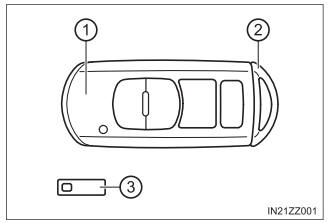
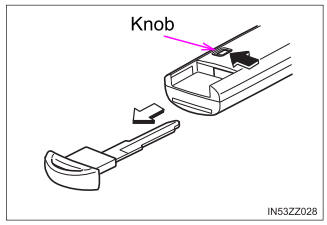
To use the auxiliary key, press the knob and pull out the auxiliary key from the smart key.

Copyright © 2026 www.toyaris4.com